Blue Team Labs Online - ImpairDefense - Part 1

Incident Response
Tags: ProcMon T1070 T1562
Scenario Analyse the procmon events of a malware activity which attempts to defeat some of the defences.
Investigation Submission
Q1) What is the malware process name?
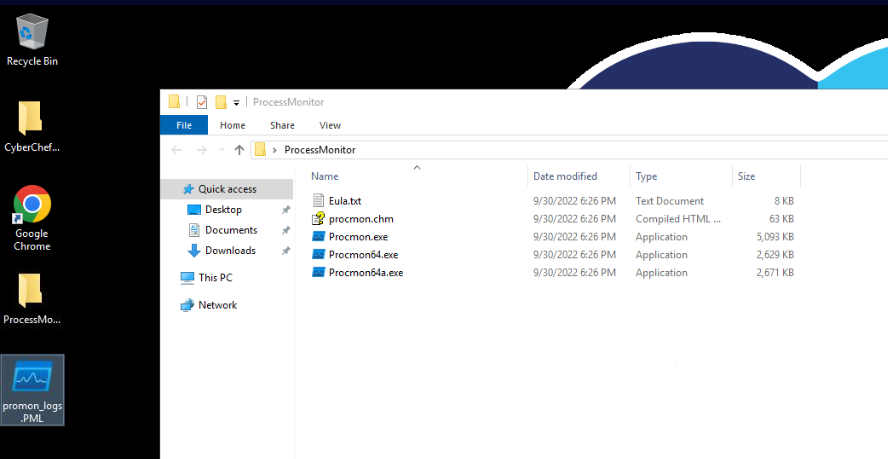
This investigation only have CyberChef and Process Monitor (ProcMon) for us to investigate Log file saved from ProcMon so lets just straight up open it up!
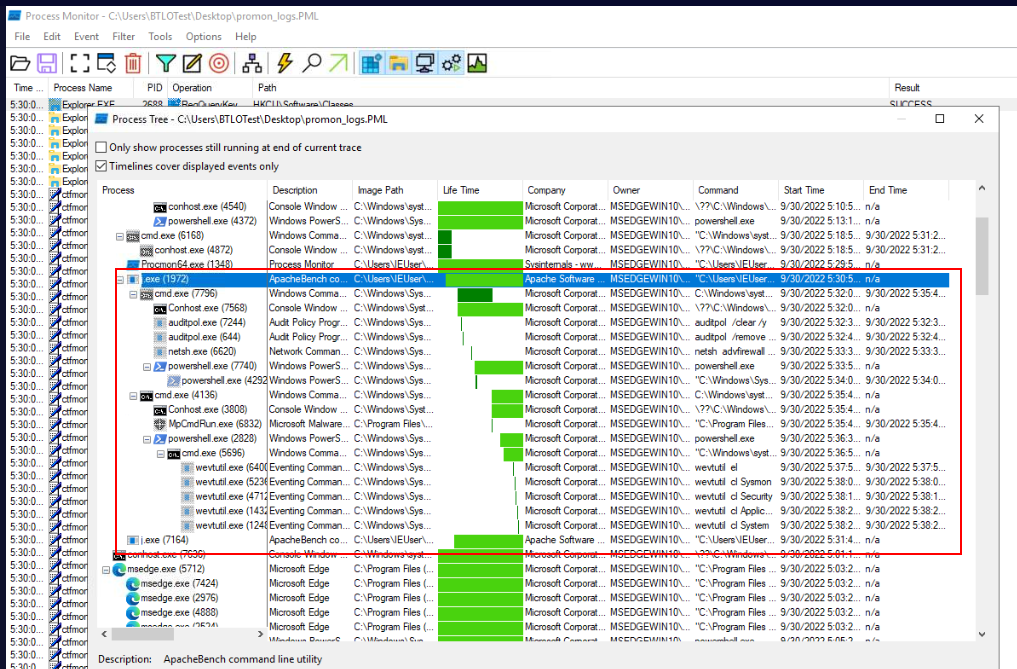
Open process tree window by go to "Tools" -> "process tree" then we could see malware process tree right here and there were a lot of commands executed by this malware and most of them related to disable security features on infected host like the name of this investigation "Impair Defense"
Answer
j.exeQ2) What is the first child process invoked by the malware?
Answer
cmd.exeQ3) What is the first command used to clear the audit policies?
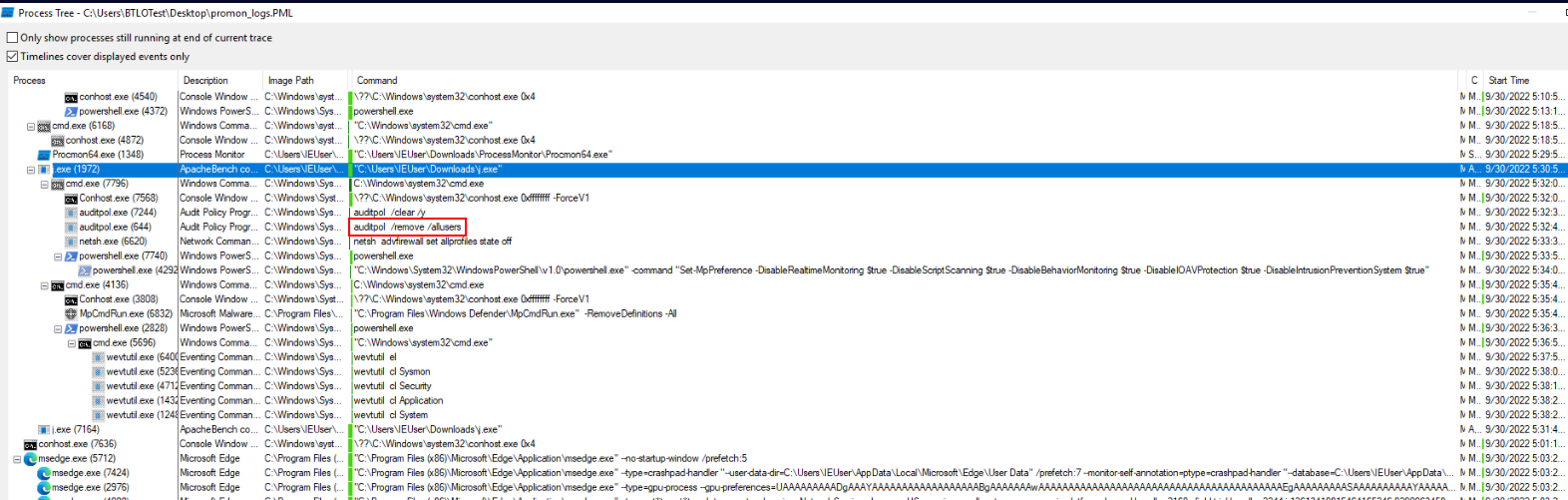
This malware use auditpol with /clear to clear audit policies and /y to confirm everything that will ask user when prompt this command on the CLI.
Answer
auditpol /clear /yQ4) What is the command used to disable the firewall?
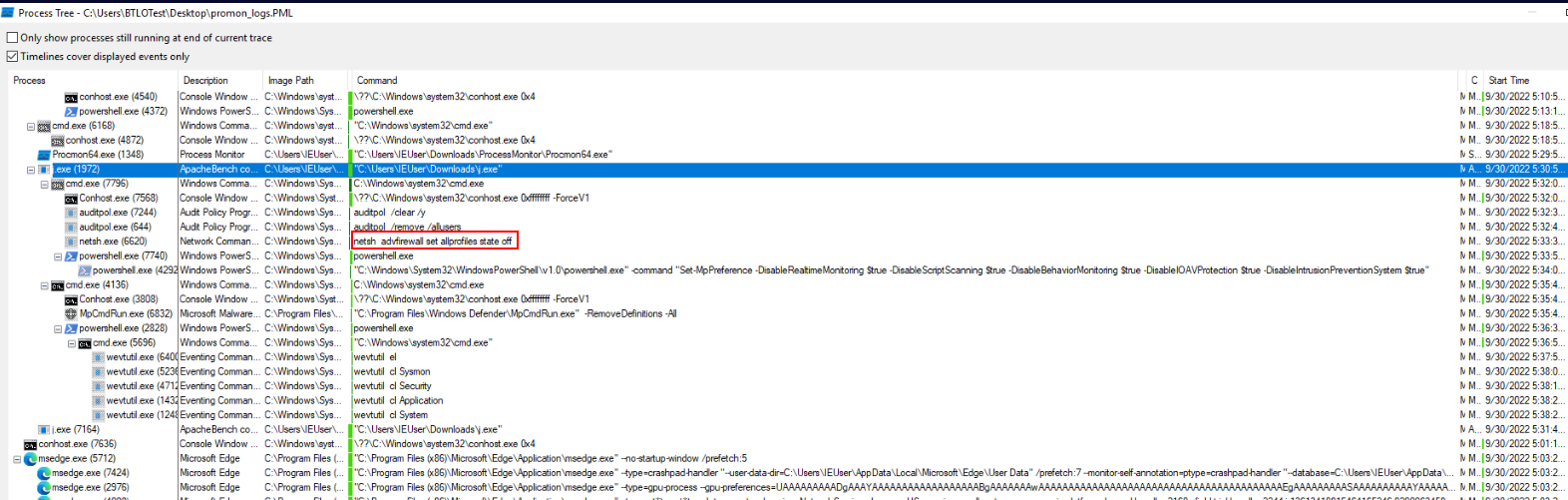
This malware use netsh advfirewall to set every profiles on infected host to "off" effectively disable the firewall.
Answer
netsh advfirewall set allprofiles state offQ5) What is the PID of the event that removed Defender definitions?
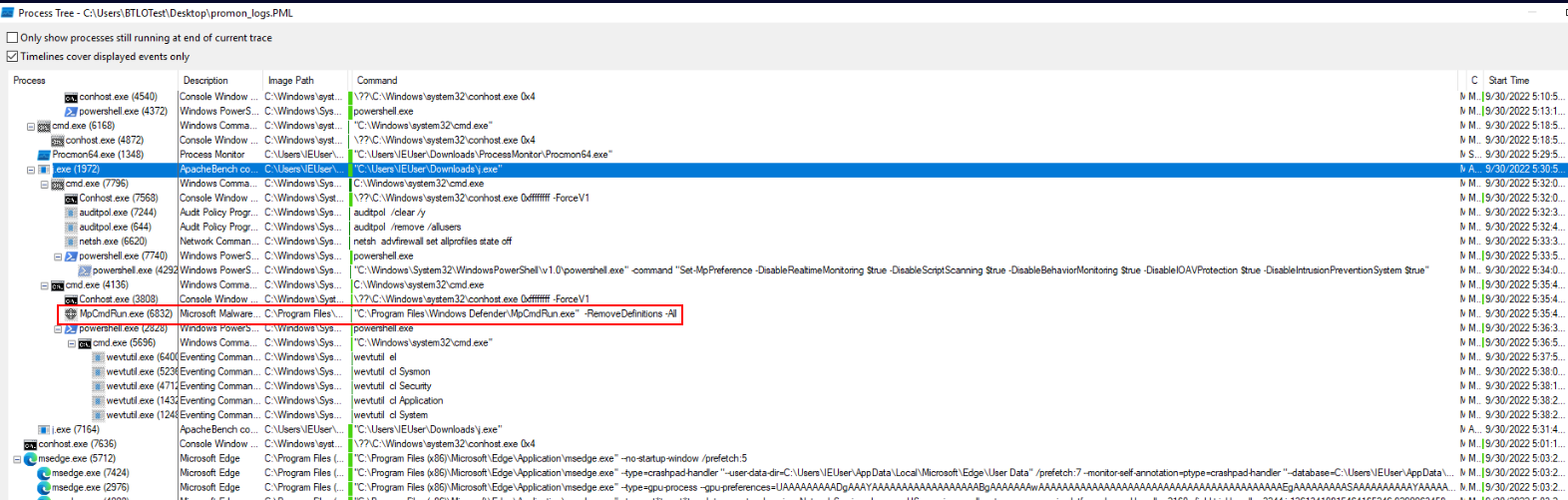
Malware used mpcmdrun.exe with -RemoveDefinitions -All to restore installed security intelligence to the original default set hence remove up-to-date malware signatures.
Answer
6832Q6) What are the windows defender mp preferences enabled by the malware?
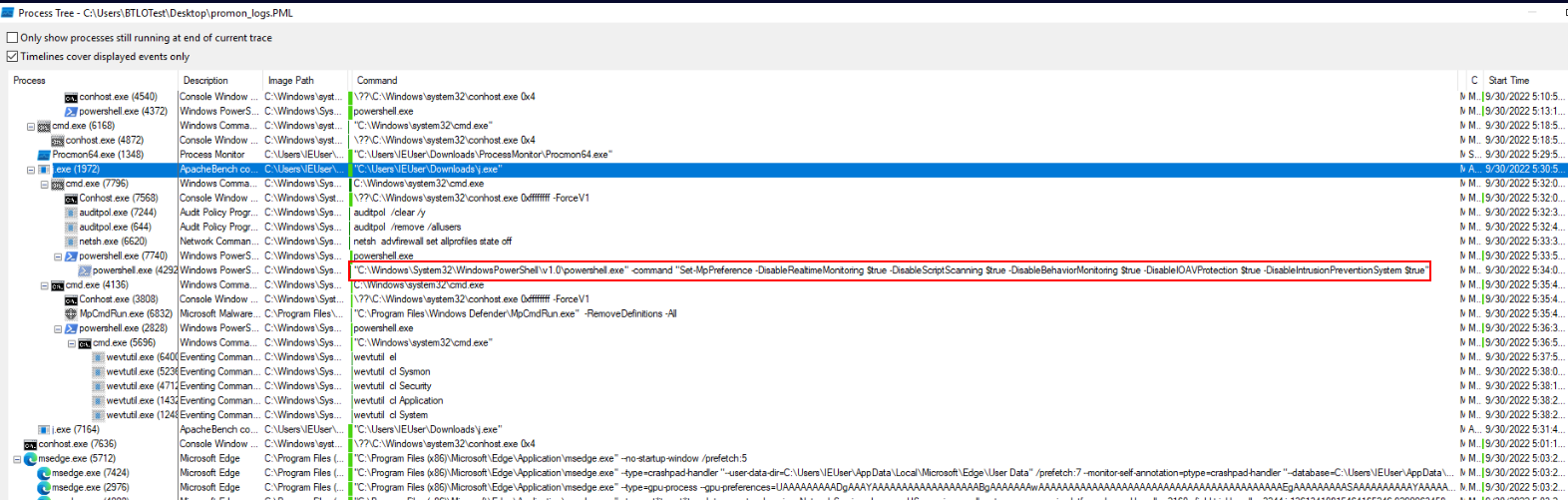
Malware spawned PowerShell to run Set-MpPreference to disable 5 security features of Windows Defender starting from
- DisableRealtimeMonitoring : Disables real-time protection
- DisableScriptScanning : Disables the scanning of scripts (like PowerShell or JavaScript) for malicious behavior
- DisableBehaviorMonitoring : Disables behavior monitoring, which is a feature that detects suspicious behavior patterns that might indicate a malware attack, even if the malware signature is not known.
- DisableIOAVProtection : Disables the scanning of files downloaded from the internet or other network sources.
- DisableIntrusionPreventionSystem : Disables the Intrusion Prevention System (IPS) feature
Answer
DisableRealtimeMonitoring, DisableScriptScanning, DisableBehaviorMonitoring,
DisableIOAVProtection, DisableIntrusionPreventionSystem
Q7) What are the logs cleared by the malware?
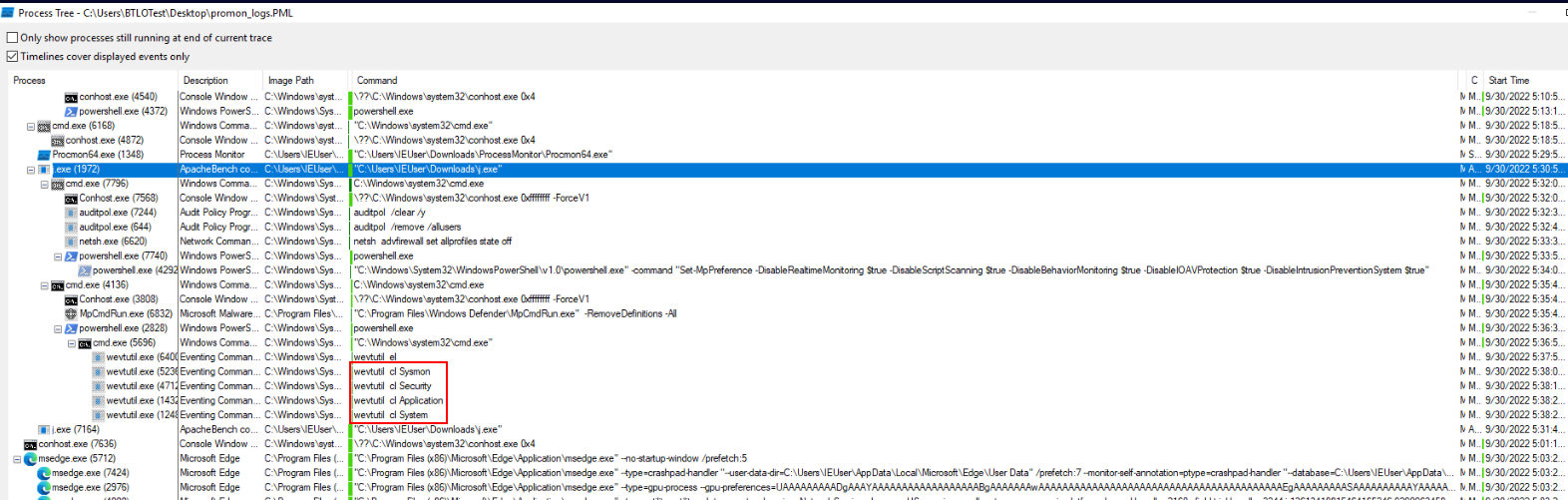 Malware use
 wevutil with cl option to clear 4 logs from Sysmon to System.
Answer
Sysmon, Security, Application, System https://blueteamlabs.online/achievement/share/52929/124